
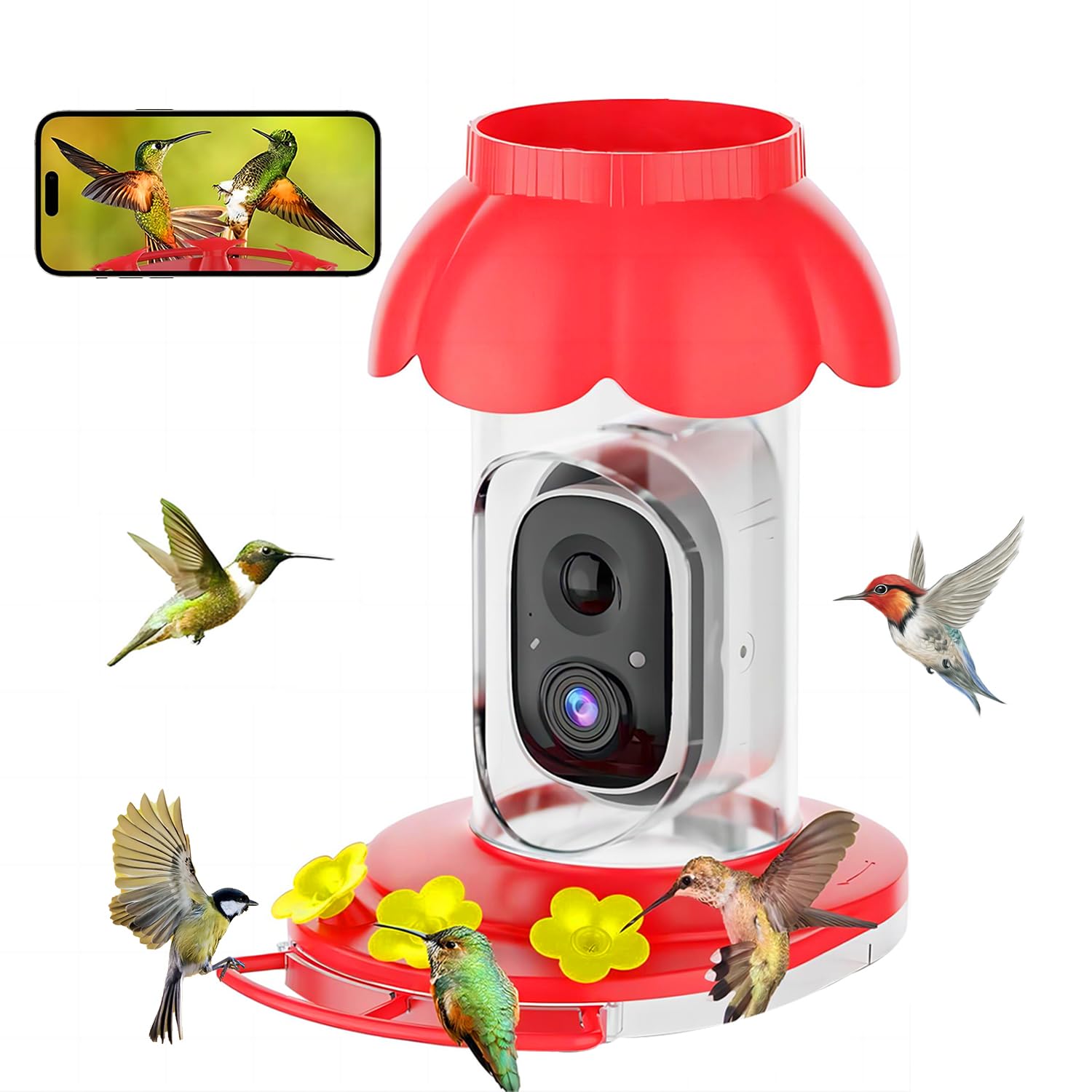
Hummingbird Feeder Camera Setup That Actually Delivers Footage
You put up a hummingbird feeder to watch the action, not to stare at blurry wings or an empty frame. A solid hummingbird feeder camera setup lets you capture sharp clips, confirm which species stop by, and spot problems like ants or cloudy nectar before they chase birds off. With small birds moving at 50 beats per second, your gear and placement need to be intentional. I have covered backyard tech for years, and the difference between a satisfying feed and a digital ghost town comes down to location, light, and power choices. Ready to keep the birds in focus and the headaches out of sight?
Fast Wins You Can Use
- Mount the hummingbird feeder camera 18 to 24 inches from the ports to balance detail and depth.
- Use backlighting from early morning or late afternoon sun to avoid blown-out highlights.
- Stabilize mounts and cables to cut jitter when wind hits the feeder.
- Protect power and data with weather-rated cords and drip loops.
- Record on motion events plus short pre-roll to catch arrivals.
Hummingbird Feeder Camera Placement That Keeps Birds in Frame
Position the lens 18 to 24 inches from the feeder ports. Closer angles show tongue flicks but risk clipping wings; farther back captures approach and retreat. Think of it like framing a fast tennis serve: give the player room to move, but keep the racket visible. Keep the camera slightly above port height so you see both gorget color and bill shape for IDs.
Sun matters more than sensor specs. Favor soft morning or late afternoon light behind the camera so the bird faces the light, not the glare. Harsh noon sun blows highlights and hides detail. If you only have backlight, use the camera’s HDR mode to save feathers from turning into white blobs.
Silence between visits is normal.
Power and Network: The Boring Parts That Prevent Missed Clips
Look, dead batteries are the top reason people miss their best shots. If you can, run a low-voltage line in conduit to a weatherproof box and use a reliable 5V or 12V supply. For Wi-Fi models, place the router or an extender within 30 feet and avoid metal siding that kills signal. Wired Ethernet with a PoE injector is even better because it cuts dropouts. Who wants hours of empty footage because the camera disconnected?
Create drip loops on every cord to keep water from following the cable into connectors. Tape slack to a post so wind cannot tug the plug. That tiny bit of strain relief keeps the hummingbird feeder camera stable and your storage intact.
Settings That Capture Detail Without Blowing Storage
- Resolution and frame rate: Use 1080p at 30 fps. Higher frame rates help wing clarity but double storage needs.
- Shutter and exposure: Lock exposure if your model allows. Bright backgrounds trick auto exposure and darken the bird.
- Focus: Use manual focus if available, set on the feeder rim. Autofocus hunts on small subjects.
- Motion capture: Enable motion with 2–3 seconds of pre-roll and a 10-second cooldown. That covers the zip-in and hover.
- Night mode: Turn off IR LEDs or block them; they can spook birds and attract insects.
Feeder Maintenance Pairing With Camera Checks
Clean the feeder every three days in summer and weekly in cooler months. Cloudy nectar not only drives birds away but fogs up your footage with mold on the ports. While you are there, wipe the lens with a microfiber cloth and check for spider webs. Consistency is everything.
“Most missed sightings trace back to dirty optics or dead power. Treat maintenance like changing strings on a guitar: frequent and fast.”
If ants or bees swarm the ports, use ant moats and bee-resistant ports. Cameras make these problems obvious, so respond quickly. A tidy setup keeps birds returning and your clips worth sharing.
Case Study: A Backyard Fix That Paid Off
I tested a budget Wi-Fi hummingbird feeder camera on a shaded porch. Initial clips were soft, and motion triggers were late. After moving the feeder into morning light, adding a PoE extender, and setting pre-roll to three seconds, captures doubled and clarity jumped. The analogy is simple: like moving a grill out of the wind, minor repositioning can make the whole experience work.
Hummingbird Feeder Camera Troubleshooting Checklist
- No birds on camera? Confirm nectar is fresh and nearby flowers are blooming; cameras cannot fix an empty buffet.
- Blurred wings? Raise shutter speed or add gentle fill light from the side.
- Frequent disconnects? Shorten Wi-Fi distance or swap to PoE to stabilize the link.
- Glare on ports? Rotate the feeder so sun hits the camera side, not the bird’s face.
- Too many false motions? Tighten the detection zone to just the feeder area.
Where to Place the Storage and How to Back Up
Use a high-endurance microSD card rated for continuous recording. Offload weekly to a NAS or cloud folder so a corrupted card does not erase the season. I mirror to an external SSD once a month (cheap insurance compared to losing a rare Rufous visit).
What to Do Next
Dial in placement, lock in power, and set motion with pre-roll. Then let the feeder and lens run for a week before tweaking. The best footage comes from steady systems, not constant fiddling. Ready to see what your yard hosts tomorrow?
